
Download Fix IE Utility – Free Windows Tool to Repair Internet Explorer
Overview
Fix IE Utility is a lightweight, free Windows program designed to troubleshoot and repair common problems that arise when using Internet Explorer. Although Internet Explorer is no longer the default browser for many modern systems, countless legacy applications, intranet sites, and corporate environments still rely on its rendering engine. When IE starts behaving erratically—slow page loads, broken scripts, or frequent crashes—Fix IE Utility steps in as a dedicated add‑on that scans the browser’s configuration, registry entries, and plug‑in settings, then automatically applies the appropriate fixes.
Since its first inclusion in our catalog in 2011, the utility has amassed over 34,000 downloads worldwide, with a strong user base in the United States, Hong Kong, and Japan. Its modest footprint means it won’t compete for valuable disk space, making it an ideal companion for older machines still running Windows XP or earlier versions. The current version (1.0) was last updated on June 15 2011, and it continues to receive positive feedback for its simplicity, reliability, and the peace of mind it offers to IT administrators and home users alike.
Key Features of Fix IE Utility
- Automated Registry Cleanup: Detects and removes obsolete or corrupt registry entries that can cause IE to freeze or display error messages.
- Plugin Management: Identifies outdated ActiveX controls and plug‑ins, offering safe removal or updates to prevent security vulnerabilities.
- Cache & Cookie Reset: Clears temporary internet files, cookies, and history in a single click, helping to resolve loading issues and privacy concerns.
- Security Zone Restoration: Restores default security zone settings to their recommended levels, protecting the system from malicious sites.
- Compatibility Mode Fixes: Adjusts IE’s compatibility view settings to ensure legacy web applications render correctly.
- Lightweight Installer: The entire utility is under 2 MB, making it quick to download and easy to store on machines with limited capacity.
- English Language Support: Fully localized in English, with clear on‑screen instructions for users of all technical skill levels.
Each of these features works together to provide a comprehensive repair suite that targets the most common pain points experienced by Internet Explorer users. Because the tool is built specifically for the Windows operating system, it integrates seamlessly with system utilities and does not require additional third‑party components. Whether you’re an IT professional maintaining legacy corporate desktops or a home user who occasionally needs to access an old web portal, Fix IE Utility offers a one‑stop solution that eliminates the guesswork involved in manual troubleshooting.
Installation and Daily Usage Guide
Step‑by‑Step Installation
Downloading and installing Fix IE Utility is straightforward. Begin by clicking the “Download” button on the official page; the installer file (approximately 1.9 MB) will be saved to your default download folder. Double‑click the FixIEUtilitySetup.exe file to launch the wizard. The wizard follows a classic three‑step process: accept the End‑User License Agreement, choose an installation folder (the default location, C:\Program Files\FixIEUtility, works for most users), and click “Install.” Because the utility does not require administrative privileges beyond the initial write‑access to the installation directory, it can be installed on standard user accounts without additional configuration.
First‑Run Configuration
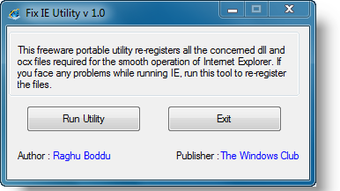
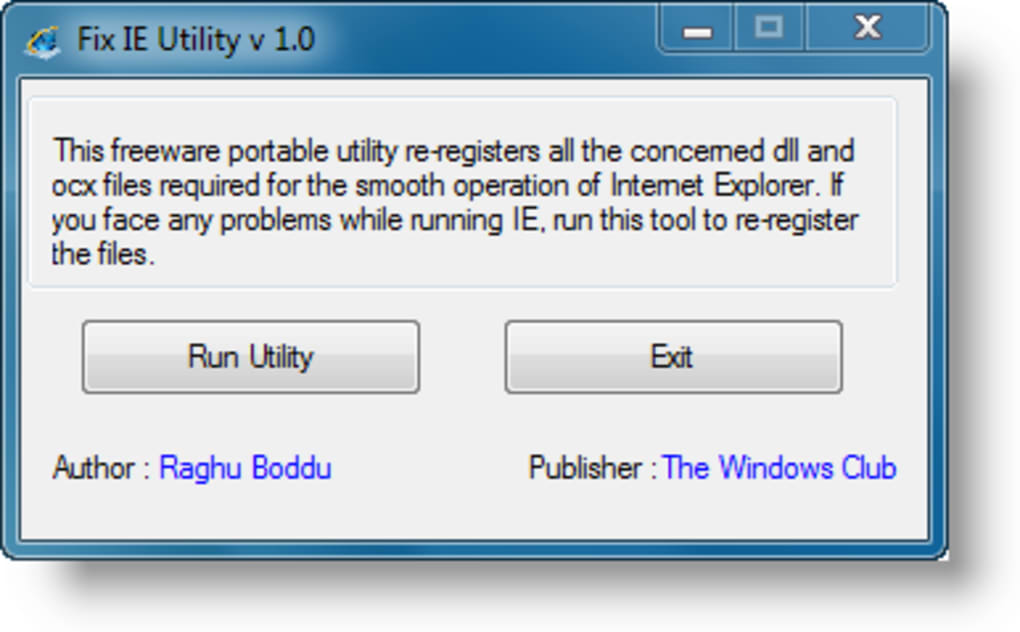
Upon completing the installation, the program automatically launches a welcome screen that explains the three main repair modules: Registry Clean, Plugin Manager, and Cache Reset. Each module is represented by a large, clearly labeled button. For first‑time users, the “Run Full Scan” option is recommended; this initiates a comprehensive analysis of the IE environment, presenting a summary of detected issues before any changes are made. The scan typically finishes within 30 seconds on a Windows XP machine, and a detailed log is saved to %APPDATA%\FixIEUtility\scanlog.txt for future reference.
Daily Usage Tips
After the initial scan, most users will only need to click the “Quick Fix” button when they notice IE behaving oddly. This action re‑applies the most common registry and plugin corrections without re‑scanning the entire system, saving time for repeated maintenance tasks. Advanced users can access the “Custom Settings” panel to selectively enable or disable individual fixes, such as turning off the automatic cookie purge while retaining the registry cleanup. The utility also supports a command‑line switch (/silent) for integration into batch scripts, allowing IT departments to push automatic repairs across multiple workstations during nightly maintenance windows.
Overall, the installation process mirrors the simplicity of the tool itself—no complex configuration files, no hidden services, and no persistent background processes. Once installed, Fix IE Utility remains dormant until you explicitly launch it, ensuring that system resources are conserved on older hardware.
Compatibility, Pros, and Cons
Fix IE Utility is officially supported on Windows XP and earlier versions, including Windows 2000, Windows ME, and Windows 98. Because the program interacts directly with Internet Explorer’s core files and registry entries, it requires the presence of IE 6, 7, 8, or 9, which were the default browsers for those operating systems. The utility does not support Windows 10, Windows 11, or modern browsers such as Edge, Chrome, or Firefox. However, many organizations still run legacy Windows machines for specific line‑of‑business applications, making this tool highly relevant for those environments.
Pros
- Free and No Ads: Completely free to download and use, with no bundled advertising or trial limitations.
- Lightweight Footprint: Under 2 MB installer and minimal RAM usage, ideal for older PCs with limited resources.
- One‑Click Repairs: Users can resolve the majority of IE issues with a single “Quick Fix” click, reducing downtime.
- Transparent Logging: Generates detailed logs that help IT staff audit changes and troubleshoot further if needed.
- Secure Execution: Does not require elevated privileges beyond installation, minimizing security risks.
Cons
- Limited OS Support: Only works on legacy Windows versions; not suitable for modern Windows 10/11 environments.
- Last Update in 2011: The software has not received updates for more than a decade, which may raise concerns for security‑focused users.
- No Multi‑Language Options: Currently available only in English, which could be a barrier for non‑English speaking users.
- Focused Solely on IE: Does not address issues in other browsers, so users needing a broader solution must look elsewhere.
Despite these drawbacks, the utility remains a valuable niche tool for maintaining legacy systems. Its straightforward design and focus on a single, well‑defined problem (IE instability) mean that it does exactly what it promises without unnecessary bloat. For organizations that have phased out Internet Explorer, the utility can still serve as a diagnostic reference when migrating old web applications to newer platforms.
Conclusion & Frequently Asked Questions
Fix IE Utility fills a specific but still important gap in the Windows ecosystem: it offers a free, easy‑to‑use solution for repairing Internet Explorer on older operating systems. While the lack of recent updates and limited language support may deter some users, the core functionality—automated registry cleanup, plugin management, and cache reset—continues to provide tangible benefits for anyone who must keep legacy IE installations operational. The tiny installer size, transparent logs, and one‑click repair workflow make it especially appealing to IT departments tasked with maintaining a fleet of aging desktops. If you are looking for a quick, hassle‑free way to restore IE’s stability without diving into the Windows registry yourself, downloading Fix IE Utility is a sensible first step.
Frequently Asked Questions
Is Fix IE Utility compatible with Windows 10?
No. The utility is built for Windows XP and earlier versions. It relies on components that are not present in modern Windows releases, so it will not run on Windows 10 or Windows 11.
Can I use Fix IE Utility on a machine without Internet Explorer installed?
The program requires at least one version of Internet Explorer (6‑9) to be present, as it works directly with the browser’s files and registry keys. Without IE, the utility has nothing to repair.
Does the utility make permanent changes to the system?
Yes. Fix IE Utility modifies registry entries, removes outdated plugins, and clears cache files. However, all changes are logged, and the tool only applies changes that are known to improve IE stability.
Is there any risk of data loss when using Fix IE Utility?
The utility only clears temporary internet files, cookies, and obsolete registry entries. It does not delete personal documents, emails, or other user data. Nevertheless, it is always a good practice to back up important files before running any system‑level tool.
How can I get support if I encounter an issue?
Support is primarily community‑driven. Users can post questions on the official forum linked from the download page, or consult the included help file for troubleshooting steps.
Ready to restore your legacy Internet Explorer experience? Download Fix IE Utility now and enjoy a smoother, more secure browsing session on your older Windows PC.
Fix IE Utility delivers exactly what its name promises—a quick, reliable fix for common Internet Explorer issues on legacy Windows systems. While it lacks modern updates, its simplicity and free price tag make it an excellent utility for IT admins maintaining older workstations.







